Week 2: Choose a tower top

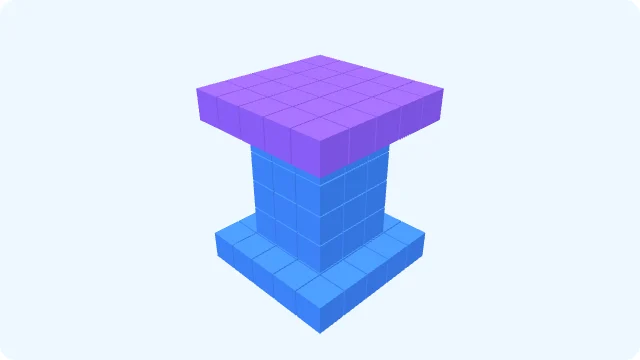
A question to ask: “Which detail would you keep, or what one thing would you change?”
Preview this week’s activity →Family AI projects
A parent-and-kid build challenge every Friday for 12 weeks — Week 1 is free.
$29 paid once for one year. No auto-renewal. 7-day refunds.
Also includes: family AI projects, all parent guides, and the Prompt Vault.
Start with Dream House: about 30 minutes together, ages 5–12. Build, save and explain one design choice. Free, with no account needed.
Start the first project tonight — freeA separate, shorter activity: build a tiny home by hand. No Magic needed. Both free activities stay available without membership.
$29 once · 365 days · No automatic renewal
Next time: compare two tower ideas in Week 2, or design a three-colour tree in Week 3.
Member Magic: no personal daily limit; fair-use and the site-wide daily limit still apply.
Free Magic: 3 successful generations per network per day; ready-made shelf matches do not count.
Local saves: 12 free / 20 with membership. Builds stay in this browser; clearing browser data can remove them.
The Prompt Vault and the Printable Pack are written in English.
One payment · 365 days of full access · no auto-renewal · nothing to cancel
Price in USD. Local tax is added at checkout where it applies — about 10% in Japan, 20% in the UK, up to 25% in the EU, none in most of the US.
Not satisfied? Reply to your receipt email within 7 days of purchase and we will refund the full amount you paid. A person handles the refund. This does not affect your rights under your local consumer law.
Checkout is handled by Creem — pay by card or Alipay.
In family projects, you run the chat AI with your own account; your child does not chat with the AI directly.
Already bought? Recover your purchase
Start with a small build, choose one detail to keep or change, and talk about it together. These are KidsAiTools demonstration images, not children’s work or evidence of learning. There is no need to copy them.
A question to ask: “Which detail would you keep, or what one thing would you change?”
Preview this week’s activity →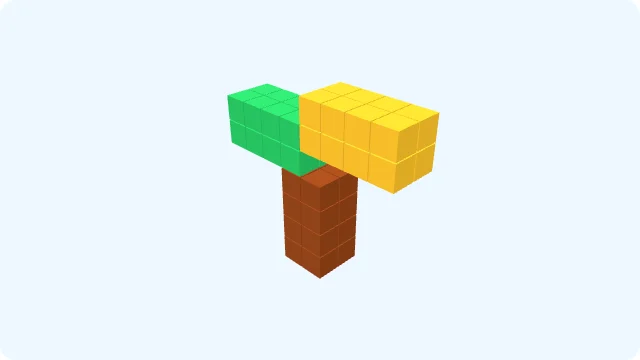
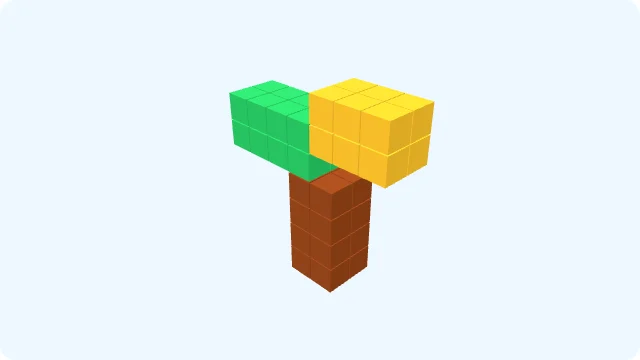
A question to ask: “Which color would you choose for each part?”
Preview this week’s activity →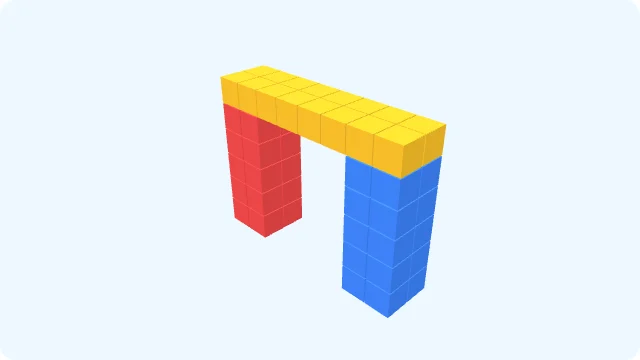

A question to ask: “Where would a pretend visitor pass through, and how would you shape the opening?”
Preview this week’s activity →Week 1 is free. The existing membership includes the full activity instructions for Weeks 2–12. Weeks 2–4 also include three-step activity cards, parent prompts, and smaller and stretch options. These images only illustrate possible choices.
Try Week 1 free first →For 12 consecutive weeks, automatically receive a 20-minute Blocks family challenge every Friday; all 12 weeks are also available anytime on the website. Each includes 3 lines to read aloud, a building goal and 2 “tell me about it” questions.
Listen or say the words if you like. No microphone needed.
Share a little house story with Duri before building or at bedtime. Read along and notice the door, wall and roof together. Your child can join in with a word or simply listen. Pause whenever you both feel ready to rest.
Peep! I like this house!
Ooh! A door for me!
Let's build a wall!
Ooh! A roof for rainy days!
I like this small room!
Peep! I am Duri. I see a little house. It is for my little friend. My friend is round like the moon. I like the moon. I like this house, too. Here is a door. The door is very small. My friend looks at the door. Oh! My friend cannot get in. I move a block. Now the door is big. My friend can come in. Yay! There is room for me, too.
Here is a wall. I put a roof on top. The roof keeps the rain out. My friend likes the roof. I like it, too. I want to see the moon. Oh, my legs are so short! I make a small step. Up I go! Now I can see the moon.
My friend sits by the door. I sit by the wall. Our house is small. We have room to sit together. I close my eyes. My friend is here. The moon is up. Our little house is quiet. Good night, little friend.
Created by Felix, a parent with more than ten years in AI education.
For parents of children ages 5–12.
The parent operates the AI. Follow each tool’s current age rules and check the guide’s age range before trying an activity.
Also included: 16 in-depth articles in English on tool reviews and family decisions.
4 guided routines for your own AI: evaluate a tool, run a first session, agree on homework rules, and respond when AI says something wrong.
About 36 minutes of reading — not a setup or task-completion time.
Read the free previews first. Membership opens the full guides.
29 guides in the library today. New ones are included while you're a member.
29 guides in English
The Prompt Vault and the Printable Pack are written in English.
The Prompt Vault is included in membership for one year.
One payment · 365 days of full access · no auto-renewal · nothing to cancel
Price in USD. Local tax is added at checkout where it applies — about 10% in Japan, 20% in the UK, up to 25% in the EU, none in most of the US.
Not satisfied? Reply to your receipt email within 7 days of purchase and we will refund the full amount you paid. A person handles the refund. This does not affect your rights under your local consumer law.
After payment, use the unlock link sent to your email to activate reading on this device. If it's missing, check spam or recover it with your purchase email.
Equivalent to $2.42 per month over 365 days — paid once, today.
Included: The Parent's Prompt Vault · The Parent's Printable Pack
Read and use this example without an account or email address.
A starting sheet for a parent and child to use together. Follow the teacher’s instructions for the specific assignment. If those instructions are unclear, ask before using AI.
What does the teacher allow for this task?
☐ AI is not allowed. We will do this task without it.
☐ Some uses are allowed. Write which ones on paper: ____________________
☐ We are unsure. Our question for the teacher is: ____________________
Before opening an AI tool, ask: “What have you tried? Where are you stuck?”
The next step we will try ourselves: ____________________
If this assignment permits it, AI might explain a concept, suggest a practice question, or respond to a draft the child wrote. Do not assume those uses are allowed in every class.
The help we chose: ____________________
We will not enter names, school details, personal photos, or other private information. Use fictional examples when possible. An adult should check the tool’s current age and privacy requirements.
Ask: “Can you explain this in your own words?” That checks understanding; it does not prove who did the work or whether the AI use was allowed.
Check these separately:
☐ The work follows this assignment’s rules.
☐ The child can explain the reasoning and what they did themselves.
☐ Facts and sources have been checked where needed.
☐ Any required acknowledgement of AI use has been included.
If one is unclear, pause and ask the teacher before submitting.
Fill this sheet in on paper. KidsAiTools does not ask you to upload it.
Every guide has a free preview — read before you decide.
You just scrolled the whole library. One payment opens all of it.
Already a member? Activate reading on this device