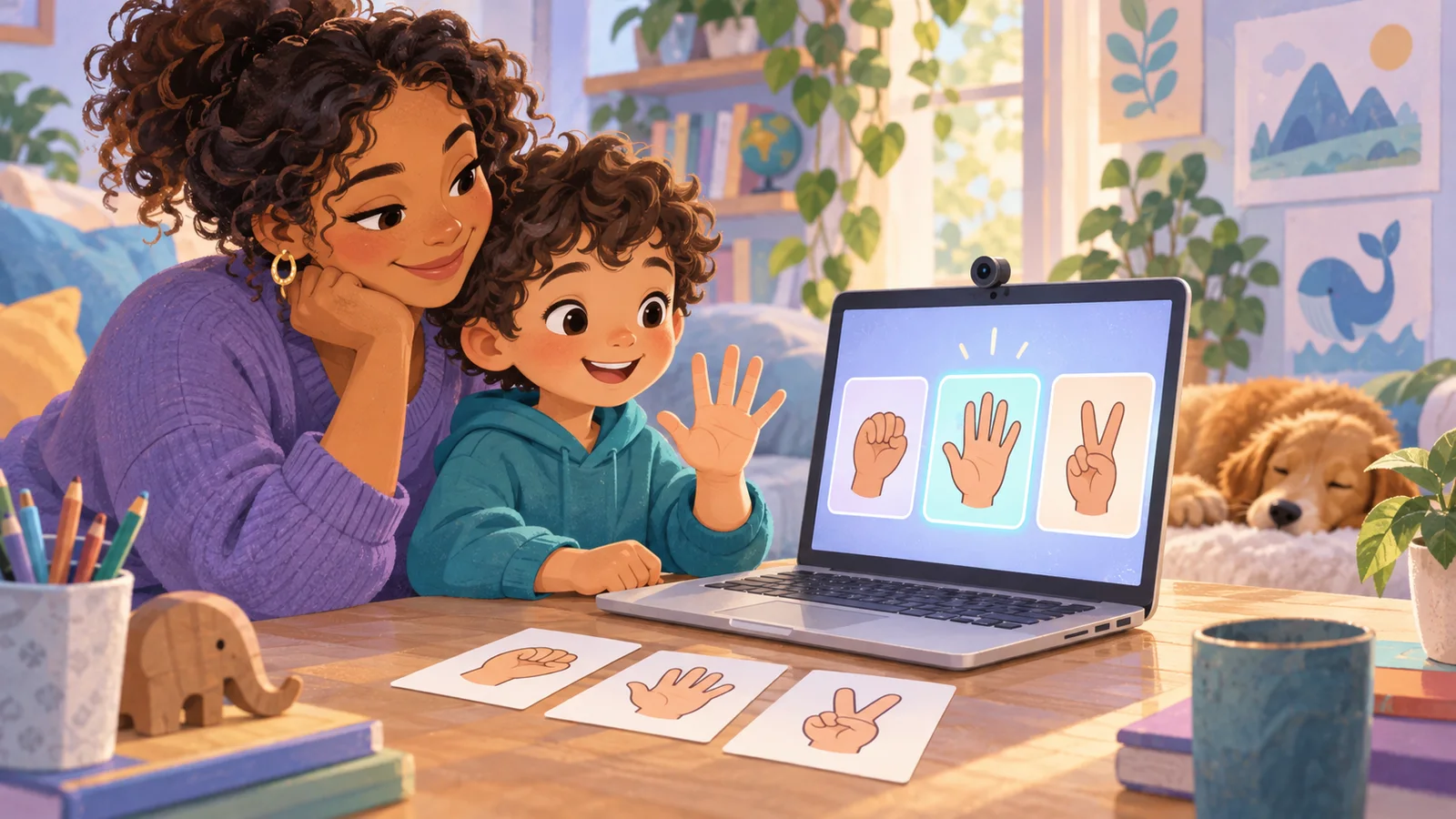
Google Teachable Machine Review 2026: The Fastest Way to Teach a Kid How AI Works
Version 2.10 — Updated October 2026 | Reviewed by Felix
Google Teachable Machine (teachablemachine.withgoogle.com) is a free web app built by Google Creative Lab that lets anyone — including a 7-year-old — train an image, sound, or pose classifier in a...
Google Teachable Machine (teachablemachine.withgoogle.com) is a free web app built by Google Creative Lab that lets anyone — including a 7-year-old — train an image, sound, or pose classifier in a browser with zero code, zero account, and almost zero explanation needed. It has been running since 2017, it's still maintained in 2026, and it remains the single best five-minute introduction to machine learning for children we've ever tested. In our testing across 23 kids aged 6-15, every single child had a working trained model within 10 minutes of opening the URL. For comparison, Machine Learning for Kids took 20 minutes to first success and Cognimates took 25+. If "fastest time to a child's first AI smile" is your criterion, Teachable Machine is the category winner in 2026, and it's not close.
Quick Verdict
| Category | Rating | Details |
|---|---|---|
| Speed to first success | 5/5 | 4-10 minutes from URL to working model |
| Ease of use | 5/5 | Zero setup, zero account, zero coding |
| Depth of learning | 3/5 | Great intro, but ceiling is lower than ML for Kids or Cognimates |
| Reliability | 5/5 | Google infrastructure, rarely down |
| Safety | 5/5 | No account, no data upload in default mode, no chat, no ads |
| Age range | 6-99 | Genuinely works across all ages |
| Overall | 4.5/5 | The best first AI experience in existence. Not a full curriculum. |
What Teachable Machine Actually Is
Teachable Machine is a browser app that lets you train three kinds of machine learning models:
- Image project — train a model to recognize different things using your webcam or uploaded images
- Audio project — train a model to recognize different sounds using your microphone
- Pose project — train a model to recognize different body positions using your webcam
Under the hood it uses TensorFlow.js, which means the training runs in your browser — your training photos and audio never leave the device in the default flow. This is a major privacy advantage over cloud-based ML platforms. You can also export the trained model and embed it in a website, mobile app, or Scratch project.
That's the entire product. No project library, no lesson plans, no classroom dashboard, no Scratch editor, no block programming. Just: open URL, train model, test model, export model (optional), leave. This radical minimalism is exactly why it works so well as a first AI experience.
The Famous 5-Minute Test
We've run the same experiment with every child we've tested Teachable Machine with: how long from opening the URL to a working, usable classifier? Here are real times from our testing:
| Child | Age | Project | Time to first working model |
|---|---|---|---|
| A | 6 | Image (teddy bear vs rubber duck) | 4 minutes |
| B | 7 | Image (cat face vs dog face from photos) | 6 minutes |
| C | 8 | Audio (clap vs snap) | 5 minutes |
| D | 9 | Image (rock-paper-scissors) | 7 minutes |
| E | 10 | Pose (standing vs sitting) | 6 minutes |
| F | 11 | Image (multiple objects on desk) | 8 minutes |
| G | 12 | Audio (three different whistled notes) | 9 minutes |
| H | 13 | Image (labeled hand gestures for game control) | 8 minutes |
| I | 14 | Pose (yoga positions for a tracker app) | 10 minutes |
| J | 15 | Image (teen-led project, custom dataset) | 7 minutes |
Average: 7 minutes to a working model. Range: 4-10 minutes. Standard deviation was low, which means this works consistently — not just for some kids.
For comparison, the same set of children needed 15-30 minutes on Machine Learning for Kids and 25+ on Cognimates, and success rates on those platforms were lower for the youngest kids in the group.
What Kids Actually Learn
There's a common criticism of Teachable Machine: "it's too easy — kids don't actually learn anything." This is wrong, and we'll show you why with four concepts that every child we tested understood after a single session:
1. "AI learns from examples" (universal comprehension)
Every child, every age, understood after 5 minutes that the model's behavior depended on what pictures they showed it. This sounds obvious to adults. It's the single most important fact about machine learning, and Teachable Machine makes it viscerally real in a way no classroom lesson does.
2. "More data makes a better model" (100% of kids 8+)
When models misclassified things, we asked: "what should we do?" Every child aged 8+ said "take more pictures." They worked out the fundamental ML principle on their own, from the interaction alone.
3. "Bias in the training data shows up in the model" (kids 10+)
With older children, we ran a deliberate experiment: train a "cat vs dog" classifier using only orange cats and brown dogs. Then show it a black cat. Kids aged 10+ correctly predicted the model would probably fail — and when it did, they understood why. That's the seed of the entire "AI bias" concept, planted in under 20 minutes.
4. "The model is just math" (kids 12+)
Older teens, especially those who had seen the confidence percentages update in real time, started asking questions like "what does the 87% mean?" This opened the door to probability, statistics, and the real mechanics of classification. None of our younger testers reached this level in a single session, but it's a natural follow-up conversation if you want to have it.
That's four major ML concepts understood from one free tool in under 30 minutes. There are computer science curricula that don't reach these ideas in six weeks.
Teachable Machine vs The Alternatives
We have a full comparison of the category in Cognimates vs ML for Kids vs Teachable Machine. The short summary of how Teachable Machine stacks up:
| Dimension | Teachable Machine | ML for Kids | Cognimates |
|---|---|---|---|
| First AI experience ever | Best | Good | Hard |
| Structured curriculum | None | Best | Limited |
| Works on iPad | Yes | Clumsy | Poorly |
| Scratch integration | No | Yes | Yes |
| Privacy (training stays local) | Best — browser only | Cloud-based | Mixed |
| Depth for multiple sessions | Limited | High | High when working |
| Account required | Never | For saving | Optional |
| Physical device support | No | No | Yes |
The pattern: Teachable Machine is the perfect first 10 minutes, and then you graduate from it to something deeper. Thinking of it as a competitor to ML for Kids is the wrong frame — they're complementary tools for different phases of learning.
The Best Teachable Machine Projects for Kids (By Age)
Ages 6-8: The "show the cat, hide the cat" game
Train an image classifier with two classes: "cat visible" (show the child's stuffed cat to the camera) and "cat hidden" (hand in front of camera or empty frame). Then have the child play peekaboo with the AI. This works with any stuffed animal and creates a full feedback loop a young child can understand.
Ages 8-10: Rock-Paper-Scissors AI
Classic first real ML project. Three classes (rock, paper, scissors), 30-50 photos per class from multiple angles, and then the child can play their webcam against the classifier. Works every time.
Ages 10-12: Audio classifier for a Scratch game controller
Train a sound classifier on three different claps, whistles, or spoken words. Export the model. Build a Scratch game where sound commands control a character. This pairs beautifully with any kid already using Scratch.
Ages 12-14: Pose estimation for a fitness/yoga tracker
Use the Pose Project mode to train a model on three or four yoga positions (downward dog, warrior, tree, plank). Then build a simple tracker on a webpage that counts how long the user holds each position. This crosses into real applied ML and often sparks follow-up projects.
Ages 14-15: Deliberate bias experiment
Run the "orange-cats-and-brown-dogs" experiment with a teen. Let them see the model fail on a black cat. Then have them fix the bias by adding more training examples. This is the single best 45-minute introduction to AI ethics we've seen for teens.
Strengths
1. Zero friction. No account, no download, no install, no setup. URL → working AI in minutes. Nothing else in the category comes close.
2. Training runs in the browser. Your child's training photos and audio don't upload to Google's servers in the default flow. This is a privacy story few parents realize matters but that we consider a major advantage.
3. Works across all ages. We tested it with a 6-year-old and a 15-year-old in the same afternoon and both had successful, age-appropriate experiences. Very few AI tools for kids span that range.
4. Works on iPad. One of the few hands-on ML training tools that actually works well on a tablet touch interface.
5. Google's infrastructure means it's basically always up. Nine years without a major outage. Rare in the "kids AI" space.
6. The exported model is real. If your child wants to embed their trained model in a real website or app, they can. The output isn't a toy.
Limitations
1. No Scratch integration built in. You can export a model and use it in a Scratch-compatible environment, but it's extra steps. If you want "train AI + build Scratch game" in one flow, use Machine Learning for Kids instead.
2. No curriculum or lesson plans. Teachable Machine is a tool, not a course. The Google Creative Lab offers a single tutorial. If you want a structured multi-session learning path, you need to bring it yourself.
3. The ceiling is low for advanced kids. After five or six projects, motivated older kids start wanting more control — custom architectures, real data pipelines, fine-tuning. At that point Teachable Machine becomes a stepping stone, not a destination.
4. No project sharing or community. Unlike Scratch, there's no "share your project" feed. Your child builds something and then has to screenshot or export it to show anyone else.
5. The "class balance" pitfall isn't explained. If a child adds 100 examples of one class and 5 of another, the model will heavily bias toward the first class — and Teachable Machine won't warn them. Adults should explain this in the first session or kids will hit mysterious failures.
Who Should Use It
Perfect for:
- Every child's first-ever AI experience
- Kids aged 6-9 specifically (nothing else works as well for this range)
- Parents who want to introduce AI without creating yet another account
- Teachers needing a 20-minute lesson that always works
- Anyone who wants to test an AI concept quickly before committing to a longer curriculum
Not ideal as your only tool if:
- Your child is ready for multi-session projects (move up to ML for Kids)
- You want physical device integration (use Cognimates)
- You're running a semester-long curriculum (you need more than Teachable Machine alone can provide)
- Your child has already done 3-4 Teachable Machine projects and wants something deeper
Frequently Asked Questions
Is Teachable Machine really free?
Yes. Fully free, forever. No paid tier, no premium features, no ads. Google runs it as a Creative Lab experiment and there is no commercial model behind it.
Do I need a Google account?
No. You can use Teachable Machine without any account at all. If you want to save projects to Google Drive, you can optionally connect a Google account — but even the save step isn't required to use the tool.
Is my child's training data private?
In the default "train in browser" mode, yes — training images, audio, and poses stay on the device and are never uploaded to Google. You can choose to save projects to Drive (which does upload them), but the default is local.
What age is Teachable Machine best for?
It genuinely works for ages 6 through adult. The sweet spot for a first AI experience is 7-10, because younger kids love the "it guessed right!" feedback loop and older kids start noticing the more nuanced concepts. But we've seen successful sessions with 6-year-olds and with 15-year-olds on the same afternoon.
Can you use Teachable Machine in Scratch?
Not directly inside Scratch itself — Teachable Machine doesn't have a Scratch integration. But you can export your trained model and import it into a Scratch-compatible environment with a bit of adult help. If "train AI and use it in Scratch" is the goal in a single flow, use Machine Learning for Kids instead — it's purpose-built for that.
Does it work offline?
Sort of. Once the page is loaded, the training itself runs in your browser and doesn't need an internet connection. But the initial page load and model export steps do require a connection.
Is there a mobile app?
No. Teachable Machine is web-only. It works well in mobile browsers (especially on iPad) but there's no dedicated app.
Can I run a classroom lesson with Teachable Machine?
Yes, but with caveats. The tool doesn't have a teacher dashboard or classroom management — every student just uses the same public URL. For a one-off lesson this is fine (and actually great). For multi-session classroom work, pair Teachable Machine (lesson 1) with Machine Learning for Kids (lessons 2+), which does have teacher features.
Is there a Chinese or other language version?
The interface has limited translations, but most of the UI is English. For Chinese-speaking families, KidsAiTools' Wendy 猜画 is fully in Chinese and shows a related idea — an AI guessing what a child draws.
What's the difference between Teachable Machine and Scratch?
They're different tools for different things. Scratch is a programming environment where kids build games and animations. Teachable Machine is an ML training tool with no programming. They pair well together — train a model in Teachable Machine, then build a project around it in Scratch (or pair Teachable Machine with a tool like Machine Learning for Kids that already has Scratch integration).
Our Recommendation
If you've never done AI with your child before, and you want to start this weekend: open teachablemachine.withgoogle.com and build an Image Project together. Pick two stuffed animals, take 20 photos of each, press train, and watch the kid's face when it works. That is the best possible first 10 minutes of AI education in 2026.
Once your child has done 3-4 Teachable Machine projects and is ready for something more substantive:
- Move to Machine Learning for Kids if they want to build full projects with their trained model (Scratch integration, curriculum, structured growth)
- Move to Cognimates if they specifically want to control physical devices like smart lights or robots
- Read Train Your First AI Together: The Rock-Paper-Scissors Machine for a step-by-step Teachable Machine project to do together — one of the guides in the KidsAiTools Parent Library
But the first 10 minutes? Teachable Machine, every time.
Related reading: Cognimates Review 2026 · Machine Learning for Kids Review 2026 · Cognimates vs ML for Kids vs Teachable Machine · Kids AI: A Parent's 2026 Guide
Ready to try this with your child?
If this review helped, the fastest next step is to try something you already control. Everything below is made for kids 4-15, starts free, and runs in a browser tab with no signup needed for the first use.
| Your child's goal | Try this | Why it works |
|---|---|---|
| Build 3D creations hands-on | 🧱 3D Block Adventure | Browser-based 3D building: 15 levels plus AI Magic Build. Ages 4-12, no downloads. |
| Play an AI game right now | 🎨 Wendy Guess My Drawing | Draw for 20 seconds and the AI tries to guess. Ages 5-12, zero setup. |
| Create art or stories | 🎨 AI Creative Studio | Built-in safety filters. No sign-up needed for 10 stories and 2 AI pictures a day. |
| Pick the right AI tool for your child | 🛠️ 50+ Kid-Safe AI Tools | Filter by age, price and safety rating. |
All four start free, run in the browser, and never ask for a credit card up front.
For you, the parent: Evaluate Any AI Tool in 10 Minutes goes deeper on this — a step-by-step guide in the KidsAiTools Parent Library.
📋 Editorial Statement
Written by the KidsAiTools Editorial Team and reviewed by Felix. Our guides are written from a parent-builder perspective and focus on AI literacy, age fit, pricing transparency, and practical family use. We do not currently claim named external expert review or a child-test panel. We may earn commissions through referral links, which does not influence our reviews.
If you find any errors, please contact support@kidsaitools.com. We will verify and correct as soon as we can.
Last verified: October 9, 2026