The Parent's Prompt Vault · AI Activity Prompt Toolkit

Ready-to-use prompts for the next thing you want to try together.

Find prompts by age, school subject and everyday situation, with notes on how to use them and questions to keep your child involved. Read a complete example before deciding.

$9one-time

The Prompt Vault is written in English.

Try the free story activity

One payment · 365 days online · print or save a copy to keep · no subscription

Price in USD. Any applicable tax is shown at checkout.

If anything goes wrong after purchase, reply to your receipt email — a human reads and answers every message.

A complete activity · Free to use

Try a story you take turns creating.

An adult operates the chat tool. Your child can tell you their sentence out loud. This example comes from the ages 7–9 section and uses age 8; adjust the bracketed age and the language as needed.

No email or KidsAiTools account needed. Use a chat tool the adult already has access to.

Play 'fortunately, unfortunately' with my [8]-year-old: you write a fortunate sentence, they add an unfortunate one, back and forth for six turns, then land the story somewhere happy.

  1. Start: Adult copies the prompt, adjusts the bracketed age, and pastes it into a chat tool they already use. Read the first fortunate sentence together.
  2. Take a turn: Ask your child for an unfortunate twist. Type their sentence, then wait for the AI's next turn. Your child can answer aloud; they do not need their own account here.
  3. Finish: After the turns, read the story aloud. Ask: “Which twist was yours? What ending would you choose?” You can stop earlier if your child wants to.

If the AI writes both sides, tell it: “Write only your next sentence, then wait for my child's turn.”

Inside the full vault · Ages 7–9 · Silly, with a structure

Next idea: let your child interview a dragon.

The dragon wants a job at your lemonade stand. Your child gets to ask the questions.

Prompt from the vault

You're a grumpy medieval dragon applying for a job at our [lemonade stand]. Let my child interview you. Stay funny, stay polite.

One way to use this prompt

  1. Find it: Open the ages 7–9 section, then “Silly, with a structure.” The same section contains the story activity above.
  2. Try it: The adult pastes the prompt into a chat tool they already use. Invite your child to ask a question about the job, then a follow-up about the dragon's answer. The adult types the child's questions. If they need a starting question, try “What would you do if a customer didn't like the lemonade?”
  3. Make a choice: Ask your child whether they would hire the dragon and what in its answers helped them decide. Stop whenever they want to.

Both examples on this page are free to use. Want more starting points like these? The full vault brings age-based activities, school-subject prompts and everyday family ideas together with explanations and parent guidance.

$9, one time. English content. Online access for 365 days. Print or save a copy to keep. No subscription.

The free 150-prompt sheet gives you organised prompts and safety notes. The full vault adds 220 more prompts with a why-it-works note on each, parent responses for when the AI goes wrong, and 10 follow-up habits — the same format as the two free activities above.

Price in USD. Any applicable tax is shown at checkout.

When you need a little parent guidance

The Guardrail Guide gives you a way to respond when the AI gets something wrong:

“Hmm — that doesn't sound right to me. Let's find out together.”

The Thinking Habits section includes questions to help you keep checking:

“Show me how to check your last answer without using any AI — name one kind of book, one kind of website, and one real person a kid could actually ask.”

These are the author's suggestions. Check any sources the AI proposes yourself.
Four more examples from the vault

Not marketing copy — the product itself. Swap the [brackets] for whatever your child loves right now.

Ages 4–6 · Wonder & why

My child is [4] and wants to know where puddles go after the rain. Give a two-sentence answer I can read aloud, then one thing we can watch for on our next walk.

Author's note: Two sentences is the honest attention span of a four-year-old, and the walk turns the answer into something they can check with their own eyes.

Ages 7–9 · School stuff, but fun

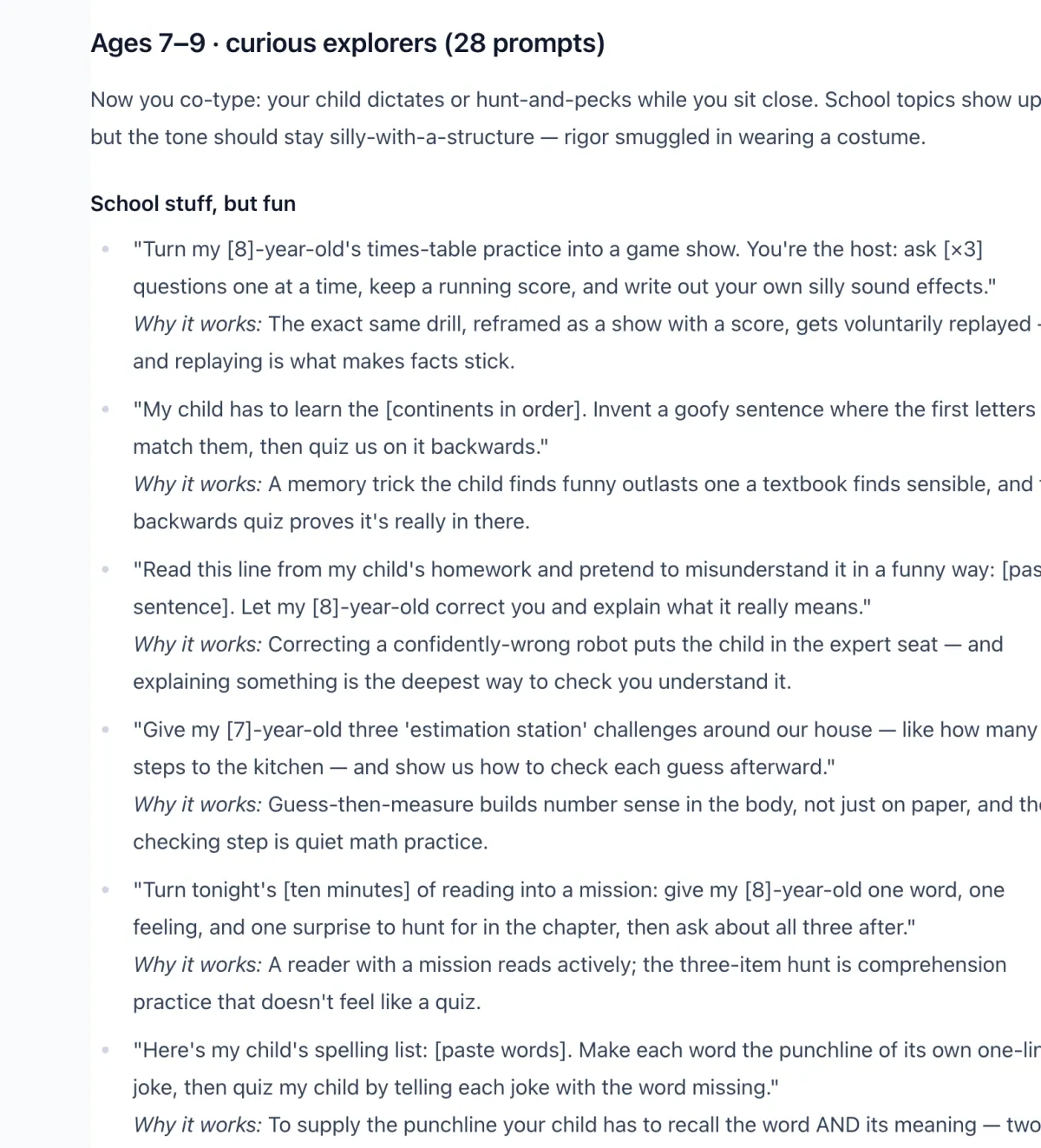
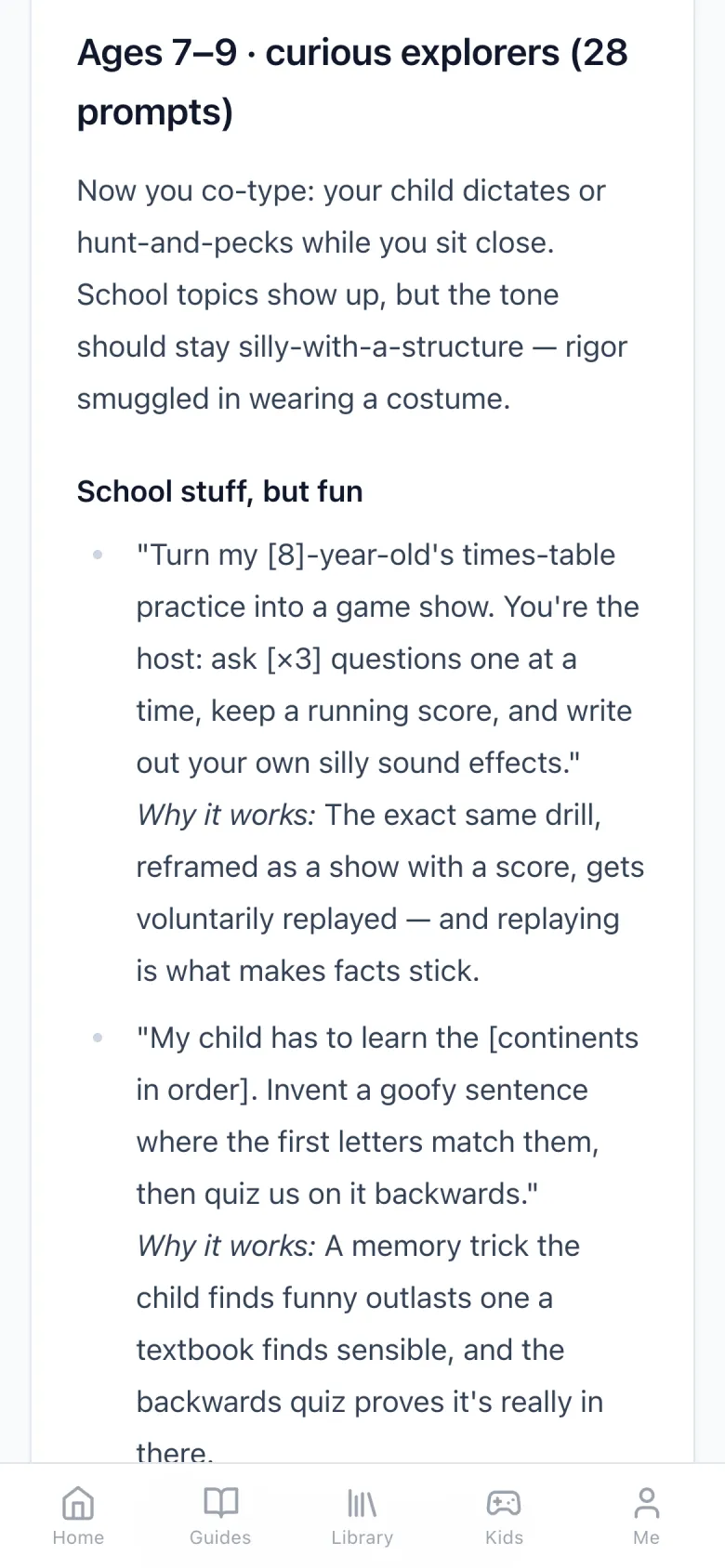
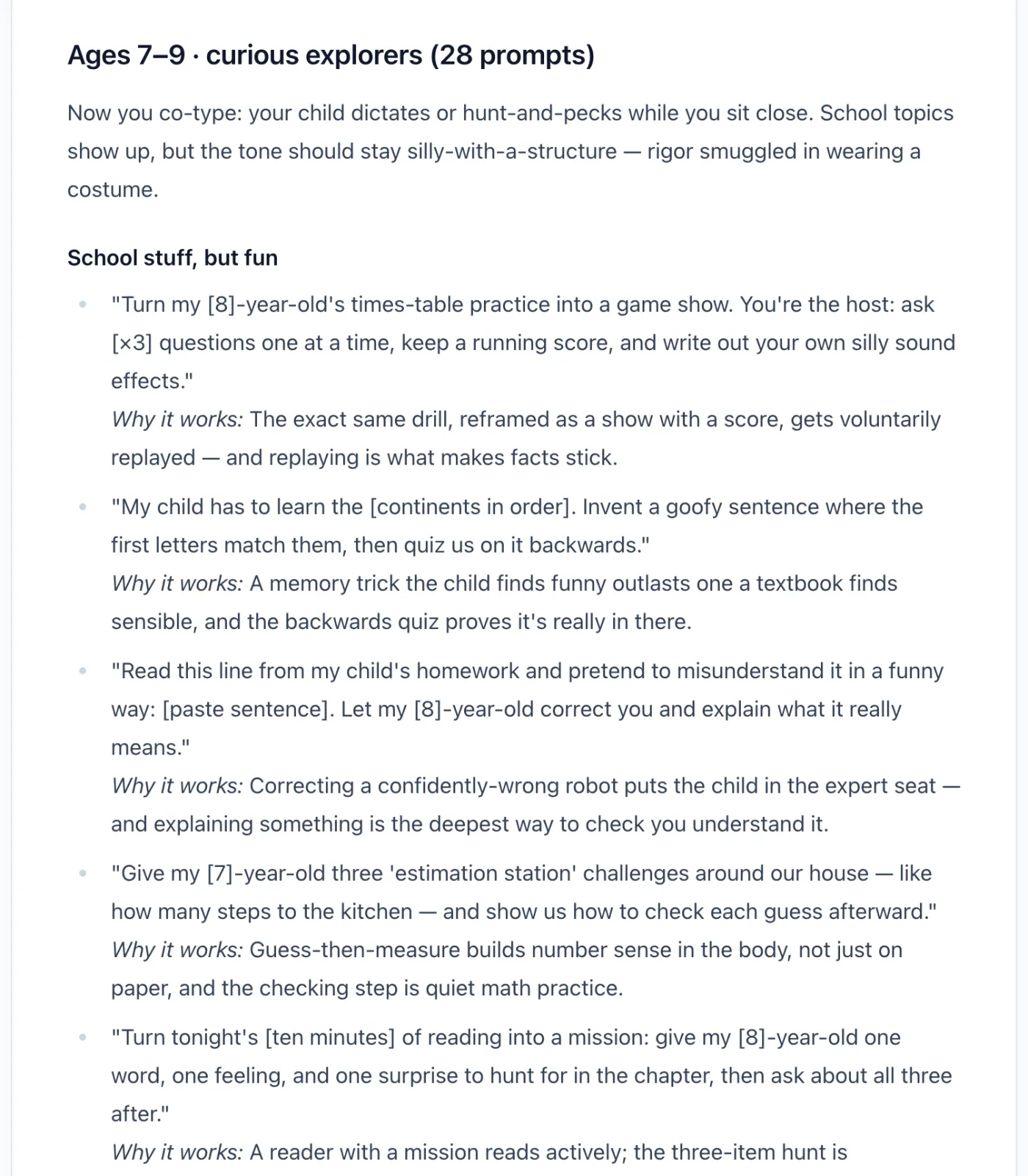
Turn my [8]-year-old's times-table practice into a game show. You're the host: ask [×3] questions one at a time, keep a running score, and write out your own silly sound effects.

Author's note: The exact same drill, reframed as a show with a score, gets voluntarily replayed — and replaying is what makes facts stick.

Ages 10–12 · Detective skills

Write me a short paragraph about [Roman gladiators] with exactly two errors hidden in it. I'll hunt them — then show me the quick check that would have caught each one.

Author's note: Planted errors turn fact-checking into a game with an answer key, so the checking habit gets practiced, not just preached.

Thinking habit · Spot the fib

Tell me three facts about [octopuses] in your most confident voice — but secretly make one of them false. Let me guess which one, then reveal it and show me the clue that could have given it away.

Author's note: Your child *feels* how convincing a wrong answer sounds, in a game where getting fooled is fun instead of costly.

The full collection contains 230 prompts and thinking habits, with parent guidance.

What's inside

The Guardrail Guide
What to say when the AI gets it wrong · red flags that mean close the chat · calibrating by age
112 prompts by age
Four bands — 4–6, 7–9, 10–12, 13+ — 28 prompts each
60 prompts by subject
Math · reading & writing · science · art · logic & coding thinking · feelings & friendship
48 real-life scenario prompts
Car rides · dinner table · homework SOS · rainy weekend · bedtime · sick day · waiting rooms · family trips
The 10 Thinking Habits
Follow-up questions that work after any AI answer — the judgment-building part

How you get it

  1. 1
    Pay once

    Secure card checkout — $9, one time. No subscription.

  2. 2
    Get your unlock link

    You land straight back here with your personal unlock link. No account needed.

  3. 3
    Use it tonight

    Read online, print it, or Print → Save as PDF. The online link works for 365 days; the copy you save is yours to keep.

Questions

Why pay when there are free prompts?
The free samples and the 150-prompt resource remain useful on their own. The paid vault is for parents who want the organized collection, the accompanying explanations and parent guidance in one place. If the free material already meets your needs, you can keep using it.
Is this an AI app or a course?
It is a written prompt toolkit with parent guidance. It does not include an AI account, an interactive course, or live support sessions.
Do I need the $29 membership?
No. You can buy this vault on its own. The membership already includes it, alongside the parent guides and printable pack.
What ages is this for?
Ages 4 through 13+. Each band — 4–6, 7–9, 10–12, 13+ — gets its own 28 prompts, calibrated for attention span and topics.
Which AI tools do I need?
Use a chat tool the adult already has access to, following its age and account requirements. The adult operates the tool. Responses can vary; use the parent notes to adjust or stop the activity when needed.
What do I keep after the 365 days?
Your unlock link works for 365 days. Any time in that year you can print the vault or save it as a PDF, and the copy you save stays with you.

Want the in-depth guides too?

The KidsAiTools Membership (one payment of $29, a year of access, no auto-renewal) includes this vault plus every in-depth parent guide and the printable pack.

See the membership →