Little Line Studio: Guided Drawing on Paper for Kids
Version 2.10 — Updated October 2026
Set up paper and pencils, choose a Little Line Studio lesson and use pause, replay and more-time controls to draw alongside your child.
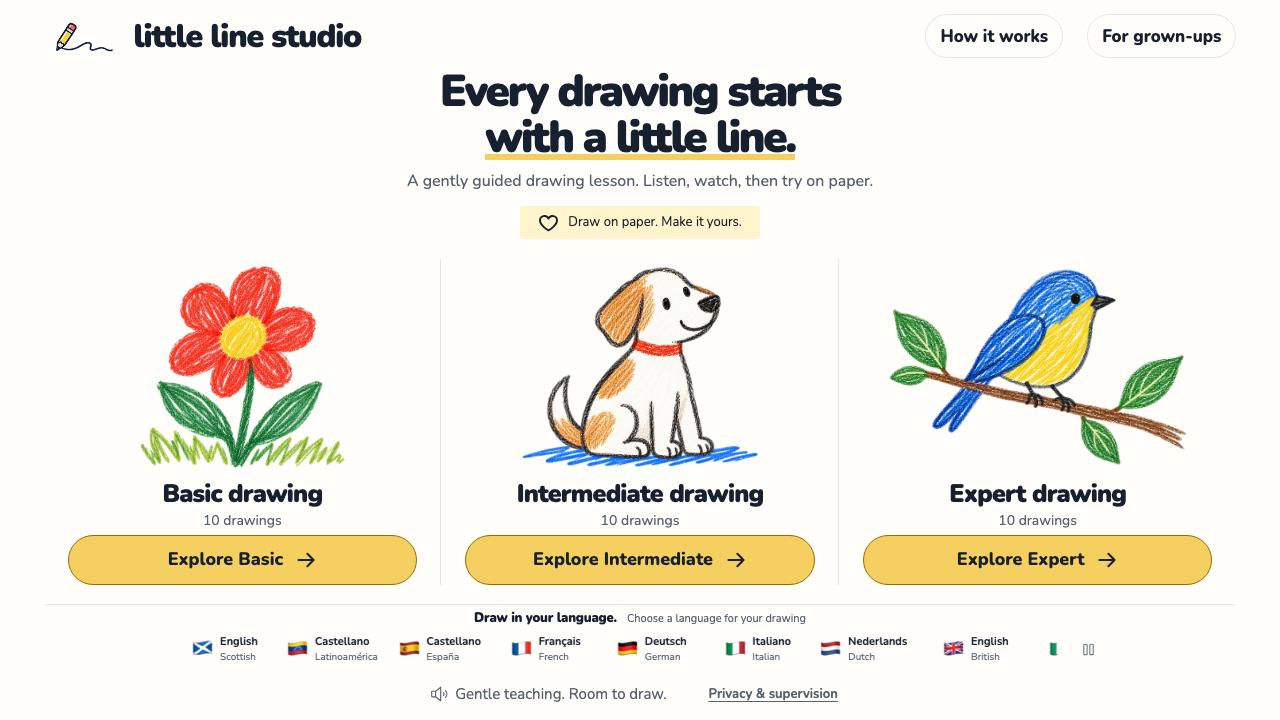
Set out paper and coloured pencils, choose a drawing, then follow one small step at a time. Little Line Studio combines on-screen demonstrations with recorded spoken instructions while the child draws on paper beside a grown-up.
It offers Basic, Intermediate and Expert collections, with ten drawings in each. There is no account to create or drawing to upload. Start with a picture your child wants to make rather than treating the collections as a test they have to pass.
Prepare the table
Place the device where you can both see it without moving the paper. Keep a pencil, an eraser and a few colours within reach. An adult should stay alongside throughout the activity.
Choose a lesson language you can follow together. The website offers English voice varieties and options in Spanish, French, German, Italian and Dutch. It does not have a Chinese lesson option. If your child does not understand the selected language, be ready to explain each step yourself.
For a first attempt, choose Basic and pick something familiar, such as the cat face, sun, rainbow or balloon. A recognisable subject makes it easier to discuss the shapes before you begin.
Open a drawing lesson
- Visit Little Line Studio and choose a collection.
- Select the lesson language and a drawing.
- Read the adult supervision reminder. The grown-up who will stay with the child can confirm it.
- Adjust the sound options if needed, then select Let’s begin.
- Watch the example together and let the child draw on their own sheet.
The page can continue between steps. Keep the pause control close at hand so the pace follows the person drawing. A displayed time estimate is a guide, not a deadline.
Use the controls to slow things down
| Control | When it is useful |
|---|---|
| Pause | Stop the lesson while your child draws or asks a question. |
| Listen again | Repeat the spoken instruction. |
| Show again | Replay the visual example. |
| More time | Give the current step more room. |
| Ready for next | Move on when your child is ready. |
| Music on | Switch off the background music if it makes listening harder. |
| Finish for now | End the session when your family wants to stop. |
Try one control at a time. If your child is still drawing, pause before explaining the next shape. If they already know what they want to do, leave them space to continue without another demonstration.
Leave room for a different picture
The example is a starting point. Your child may draw a larger head, uneven ears or colours that do not appear on the screen. Ask what they want their picture to look like before offering a correction.
After the guided section, suggest one personal addition: a name for the character, a patterned background or another creature beside it. You can draw your own version on a separate sheet so there is more than one possible result on the table.
At the end, invite your child to show you a detail they chose. Avoid turning the activity into a comparison with the demonstration. The finished drawing belongs to the person who made it.
What stays on paper
The site's For grown-ups and Privacy panels explain that it cannot see or assess the drawing. Lessons use recorded voice and music; there is no live AI conversation. It does not request a microphone, camera, artwork upload or child account. The privacy panel also distinguishes these features from ordinary connection information received by the hosting provider.
The supervision checkbox is a reminder for the adult, not a system that checks who is in the room. Stay beside the child and handle controls when needed. The website's lesson choices and settings reset when the page reloads, so keep the paper artwork as the result of the session.
Choose the next activity together
Ask whether your child would like another guided drawing or some time to draw independently. You do not have to complete a collection.
Find the entrance and practical notes on our Little Line Studio resource page. If your child wants a drawing to move on screen, try the Paper Aquarium guide. These activities do not require a KidsAiTools membership.
📋 Editorial Statement
Written by the KidsAiTools Editorial Team and reviewed by Felix. Our guides are written from a parent-builder perspective and focus on AI literacy, age fit, pricing transparency, and practical family use. We do not currently claim named external expert review or a child-test panel. We may earn commissions through referral links, which does not influence our reviews.
If you find any errors, please contact support@kidsaitools.com. We will verify and correct as soon as we can.
Last verified: October 29, 2026